Community Manager
March 8, 2022
Solved

What is the Private Messenger and how do I read/send a Private Message?

  • March 8, 2022
  • 1 reply
  • 5 views

I saw that in my profile there's a private message section, what is it and how do I read/send them? 

    Best answer by Shannon

    What is the Private Messenger?

    The Private Messenger (sometimes referred to as "Direct Messages") enables you to send private notes to other community members. Private Messenger has two big advantages over email:

    • You don't have to know the other member's email address to send the note. (Also, you don't have to reveal yours.)
    • You can read and send private messages without leaving the community, making it easy to a quick conversation with another community member.

    To use the Private Messenger, you must be registered and signed in. You'll see a Private Message icon at the top of your page. If you have any new messages, you'll see the number of unread messages next to the envelope icon.

    Click the message count or envelope icon to go to your Private Messages Inbox.

    How do I read a Private Message?

    1. Sign in to the community.
      If you have any new messages, you'll see the number of unread messages next to the envelope icon.
    2. Under your Profile image, click on private messages to see the inbox.
    3. To read a message, click the message subject.
    4. To reply to a message, click Reply. Type the reply into the box below and click Reply.

    How do I send a new Private Message?

    1. Sign in to the community.
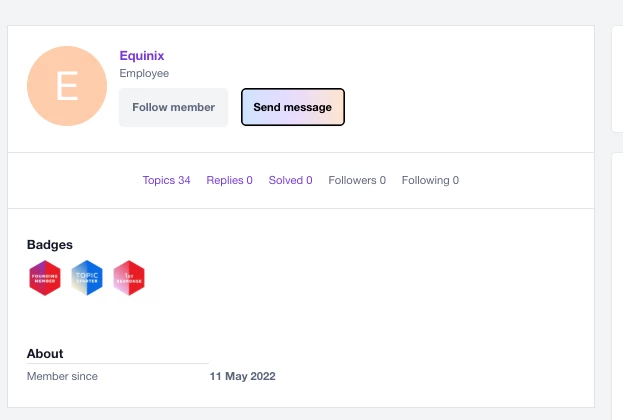
    2. Click the member you’d like to send a message to and select send message. message count or envelope icon to go to your Private Messages Inbox.
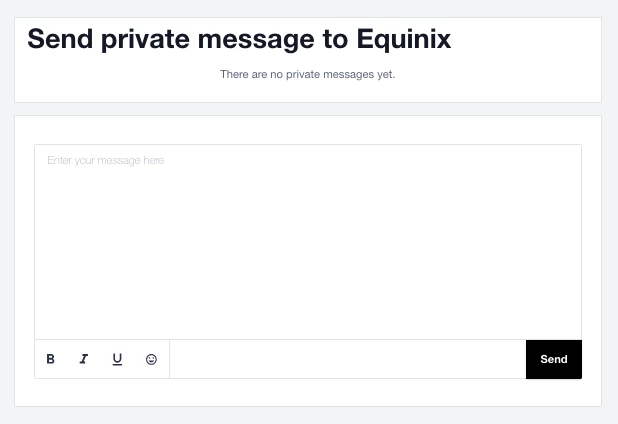
    3. Enter your message in the text box.
    4. Select send message when ready. 


    1 reply

    ShannonAuthorAnswer
    Community Manager
    April 5, 2022

    What is the Private Messenger?

    The Private Messenger (sometimes referred to as "Direct Messages") enables you to send private notes to other community members. Private Messenger has two big advantages over email:

    • You don't have to know the other member's email address to send the note. (Also, you don't have to reveal yours.)
    • You can read and send private messages without leaving the community, making it easy to a quick conversation with another community member.

    To use the Private Messenger, you must be registered and signed in. You'll see a Private Message icon at the top of your page. If you have any new messages, you'll see the number of unread messages next to the envelope icon.

    Click the message count or envelope icon to go to your Private Messages Inbox.

    How do I read a Private Message?

    1. Sign in to the community.
      If you have any new messages, you'll see the number of unread messages next to the envelope icon.
    2. Under your Profile image, click on private messages to see the inbox.
    3. To read a message, click the message subject.
    4. To reply to a message, click Reply. Type the reply into the box below and click Reply.

    How do I send a new Private Message?

    1. Sign in to the community.
    2. Click the member you’d like to send a message to and select send message. message count or envelope icon to go to your Private Messages Inbox.
    3. Enter your message in the text box.
    4. Select send message when ready.