
Choosing Between Dark Fiber, Wavelength and Ethernet
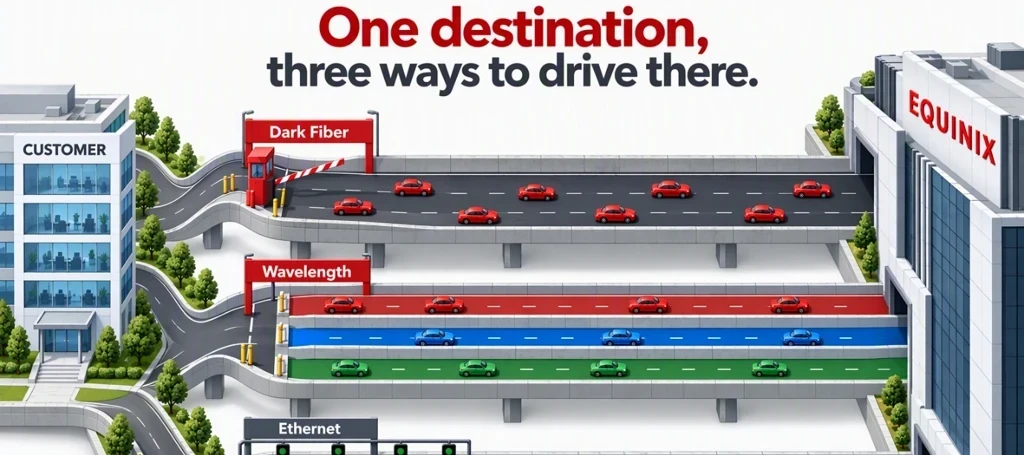
Connecting into Equinix and Beyond. Choosing Between Dark Fiber, Wavelength and Ethernet
A field guide for architects and engineers
Connecting your business to Equinix unlocks a vast digital ecosystem: cloud service providers, Internet exchanges, CDNs, SASE platforms and thousands of partners. Sooner or later, every customer asks the same question: “How do I connect my sites to Equinix?”
The answer usually involves three terms: Dark Fiber, Wavelength and Ethernet. They are often presented as a simple price ladder, but they are really three different technologies, working at different layers, with different trade-offs in control, performance, resiliency and effort. This post explains how each one works, and gives you a simple way to decide which one fits.
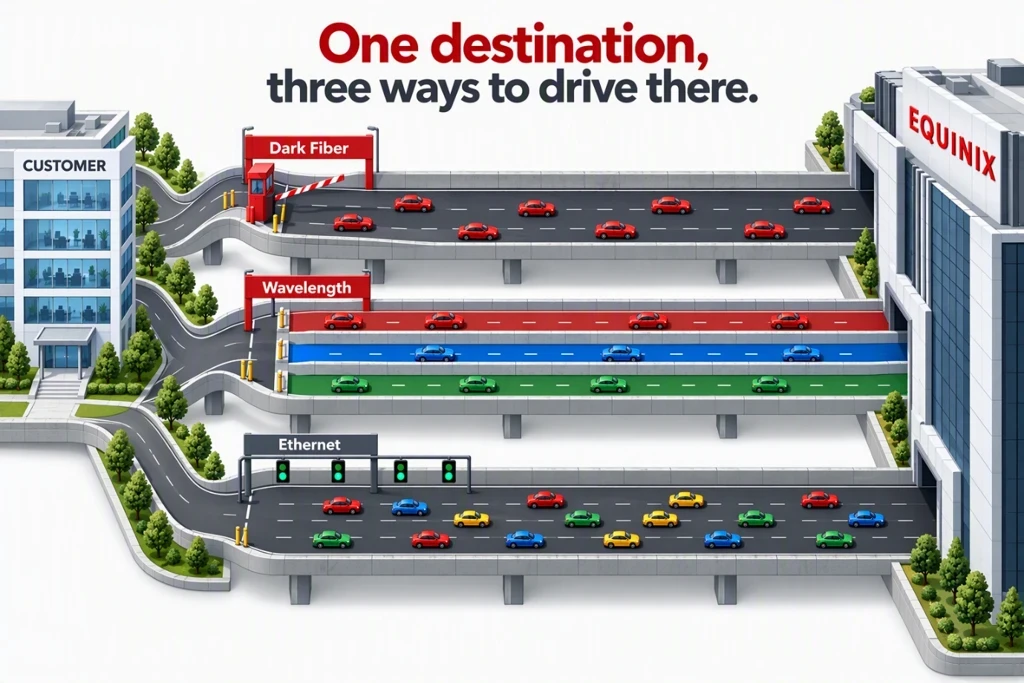
| The 30-second version Dark Fiber - you lease the whole road. You bring the cars, the traffic lights and the maintenance crew. Wavelength - you rent one dedicated, walled-off lane on someone else’s road. Ethernet - your cars share a managed road with other customers’ cars. The operator guarantees you a number of slots and runs the traffic control. |
1. Why the connection is a strategic choice
Being close to the ecosystem only pays off if the path to it is right. How you connect directly shapes performance (latency and jitter), cost, the level of control you keep, how resilient you are to a fiber cut, and how easily you can grow. Picking the wrong option is rarely a disaster on day one, but it often becomes an expensive constraint two or three years later.
Reading the highway analogy
All the pictures in this post use the same visual language:
-
The highway is the physical fiber in the ground.
-
The lanes are the wavelengths (colors of light) that WDM equipment creates on that fiber.
-
The cars are your traffic: frames and packets.
-
The car colors are the different customers. Red is always you.
-
Control booths and traffic lights are the active equipment: who owns them tells you who controls the service.
2. Dark Fiber: lease the whole road
What it is
Laying fiber is expensive, so operators install far more strands than they need on day one. The unused strands are “dark”. Leasing dark fiber gives you the raw glass between two points. It is completely passive: no light, no equipment, no service. You “light it up”.
Under the hood
-
You install the optics at both ends. For short metro spans, simple “grey” transceivers may be enough (for example, 10 km, 40 km or 80 km reach optics).
-
To carry more than one signal, you add your own WDM infrastructure plugged straight into your routers.
-
Every design starts with the optical budget: distance, fiber attenuation, connectors and splices.
-
Latency is pure physics: roughly 5 µs per km one way, so about 1 ms round trip per 100 km of route. The route, not the straight-line distance, is what counts.
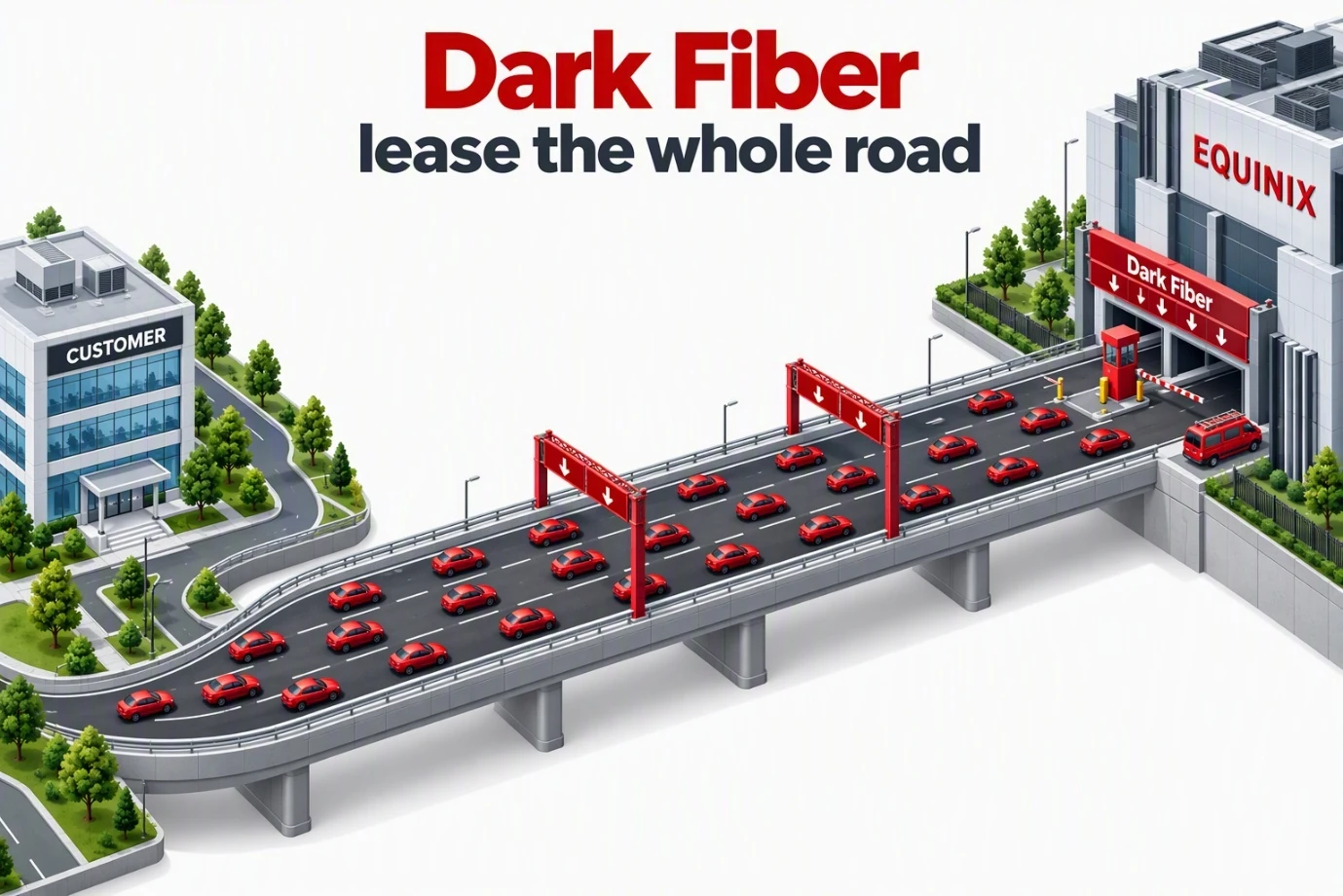
| Analogy You lease the entire multi-lane highway. Only your cars drive on it, you decide how many lanes to open, and you set the traffic rules. You also pay for the cars, the traffic control systems, and the maintenance crew. |
Pros
-
Maximum control: you own the full transmission system and choose the physical route.
-
Deterministic latency: fixed by the route length; nothing in the path adds queuing or jitter.
-
Massive, future-proof capacity: upgrade the optics and the same fiber carries 10x more.
-
Full transparency: run Ethernet, native Fibre Channel or anything else, with no provider restrictions.
-
Physical isolation: no other customer’s traffic on the glass.
Cons
-
High upfront cost: optical equipment, installation, and often long lease commitments.
-
You run it: monitoring, spares, troubleshooting and 24/7 operations require optical expertise.
-
Longer lead times: route surveys, possible civil works and equipment procurement.
-
Resiliency is your job: one fiber is one failure domain. A single cut means a full outage, so order a second, physically diverse route and verify it (see the KMZ section).
-
Distance limits: beyond metro distances you need amplifiers and more complex optical design.
-
Not encrypted by default: physical isolation is not encryption. Fiber can be tapped; add MACsec or optical encryption if needed.
3. Wavelength: rent a dedicated lane
What it is
Light in a fiber can travel in many colors at the same time without interfering. Wavelength Division Multiplexing (WDM) uses this to split a single fiber pair into many independent channels. A wavelength service gives you one of those channels, end to end, as a managed point-to-point circuit. It is often called “lit” or “managed optical” service.
Under the hood
-
The provider owns the optical line system: WDM infrastructure at each end to route colors, and amplifiers for distance.
-
Your router or switch connects with a standard client interface (for example, 10GE, 100GE or 400GE). The transponder maps it onto a dedicated wavelength, usually inside an OTN frame.
-
No packet switching happens on the way, so there is no contention and almost no jitter. Your full bandwidth is reserved, whether you use it or not.
-
Protection is a design option: an unprotected wave follows one path; a protected wave is switched in milliseconds to a diverse path if the primary is cut.
| Capacity note Modern DWDM systems carry 80 or more channels per fiber pair, and a single channel can reach 400 Gbps or more. For example, 80 channels × 400 Gbps = 32 Tbps on one fiber pair. Your wave is one of those channels. |
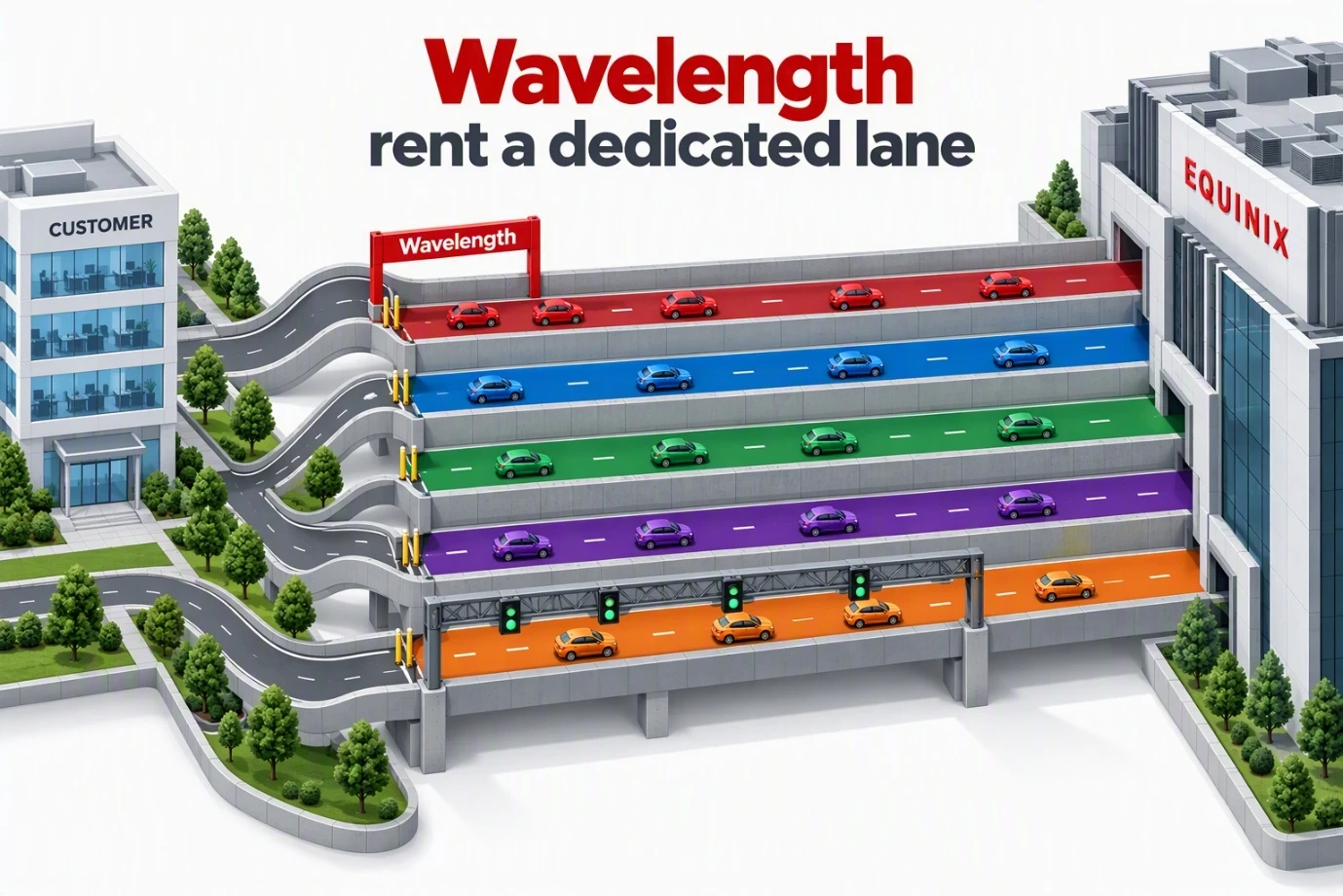
| Analogy You don’t lease the highway; you rent one lane on it. The lane is walled off, so other customers’ cars never enter it. The operator builds and maintains the road and your lane; you just drive. |
Pros
-
Dedicated capacity: guaranteed bandwidth per wave, typically 1, 10, 100 or 400 Gbps.
-
Predictable, very low latency: close to dark fiber over the same route, with no queuing.
-
Protocol transparency: carries Ethernet or Fibre Channel, which makes it ideal for storage replication.
-
Path options: diverse or protected waves are commonly available on request.
-
Lower entry cost and faster delivery: than dark fiber, because the optical system already exists.
-
Lower operational burden: the provider runs the optical layer; you manage the endpoints.
Cons
-
Fixed steps: you buy whole waves; there is no 3 Gbps wave. Growing means a bigger or additional wave.
-
Provider dependency: available routes, speeds and lead times depend on the provider’s network.
-
Unprotected means single path: like dark fiber, a fiber cut takes an unprotected wave down. Ask for diversity or protection.
-
Point-to-point only: each wave connects two ends; connecting many sites means many waves.
4. Ethernet: share a managed road
What it is
Here, “Ethernet” means Carrier Ethernet: a managed Layer 2 service from a network service provider (NSP) that extends Ethernet between sites across a metro, a country or beyond. NSPs usually build their backbones on top of their own dark fiber and wavelengths, and then offer Ethernet services on top of that backbone. Many customers’ services share the same physical capacity.
Under the hood
-
You connect to the provider at a UNI (User-Network Interface). Your service is an EVC (Ethernet Virtual Connection) across the provider’s packet network, often MPLS or EVPN based.
-
Your bandwidth is defined by a bandwidth profile: a committed rate (CIR) that is guaranteed, and sometimes an excess rate (EIR) that is best effort.
-
Because the backbone is shared and statistically multiplexed, providers can sell smaller increments at lower prices. That is also why latency and jitter can vary slightly with load and path changes.
-
When a provider does not reach a location on its own network, it can hand off to another provider through an ENNI (External Network-to-Network Interface). This is the Mplify E-Access model, and it is very common when NSPs reach data centers.
Mplify service types
Carrier Ethernet services follow standards defined by the Mplify:
-
E-Line: point-to-point. Comes as EPL (port-based, one service per port, very transparent) or EVPL (VLAN-based, several services multiplexed on one port).
-
E-LAN: multipoint-to-multipoint; all sites behave as one virtual LAN.
-
E-Tree: rooted point-to-multipoint (hub and spoke); leaves talk to the root but not to each other.
-
E-Access: wholesale access from a provider’s ENNI to a remote UNI, used to extend reach through partner networks.
| Note For connecting a customer site to an Equinix data center, an E-Line is the most common option to compare against dark fiber and wavelength. Use EPL when you want a “virtual wire”; use EVPL when one physical port must reach several destinations (for example, cloud on-ramps). |
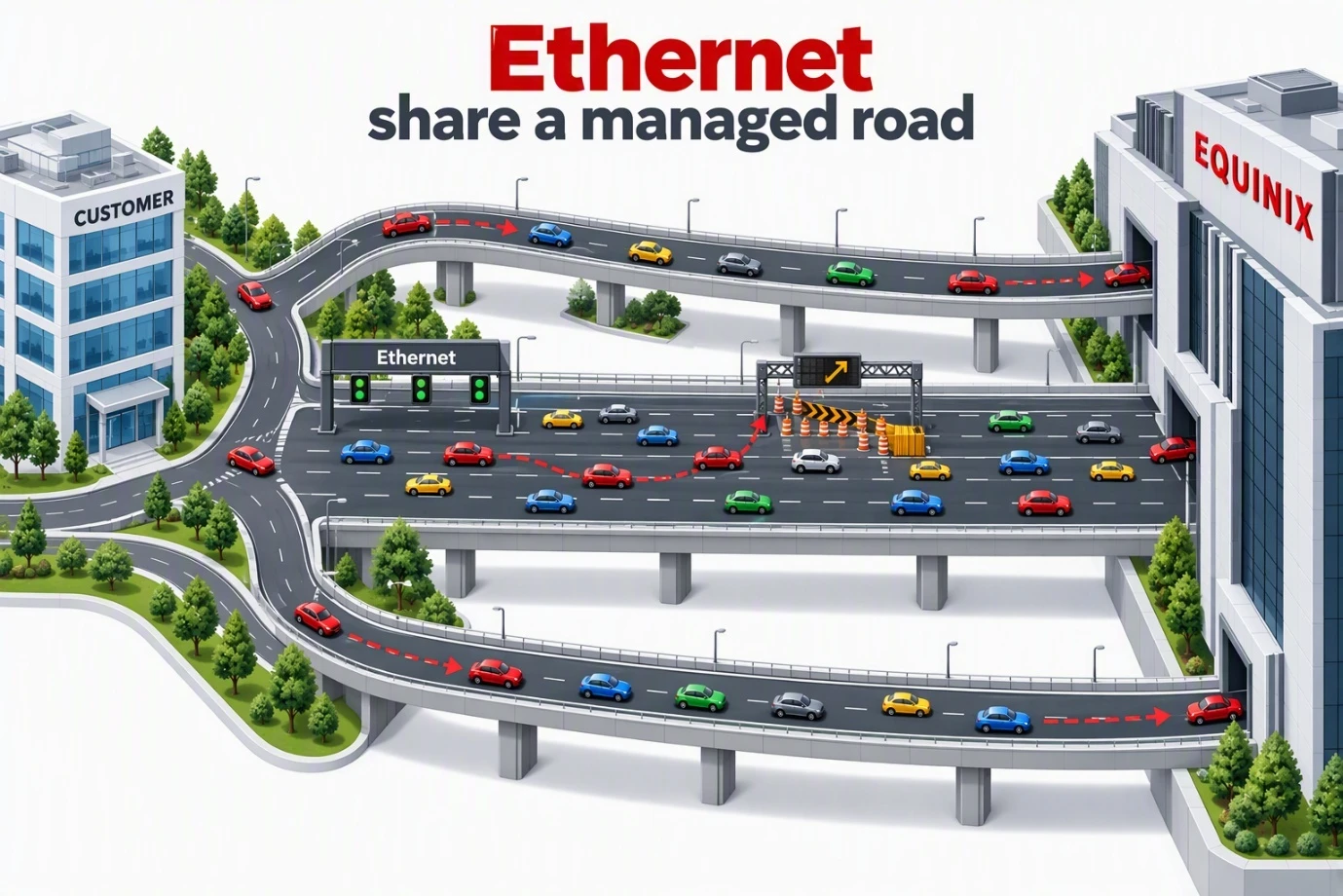
| Analogy Your cars travel on a busy, well-run motorway shared with everyone else. You don’t own a lane, but the operator guarantees you a number of slots (your CIR) and its traffic control decides the route. If there is an accident, it reroutes you automatically, but the journey time can change slightly. |
Pros
-
Simple to consume: a familiar Ethernet hand-off; plug in a router or switch.
-
Flexible bandwidth: from Mbps to 100G, often upgradeable quickly and without new hardware.
-
Cost-effective: especially at low and medium bandwidths, thanks to shared backbone capacity.
-
Fully managed: the provider handles infrastructure, monitoring and SLAs.
-
Widely available: many NSPs, and many reach Equinix data centers.
-
Multipoint options: E-LAN, E-Tree and EVPL connect many sites over one port.
-
Backbone resiliency: the provider’s core usually reroutes around failures.
Cons
-
Less control: the provider decides the path, so latency and route diversity are harder to guarantee.
-
Variable latency and jitter: small, but not as deterministic as layer 1 options.
-
Ethernet only: native Fibre Channel or OTN cannot be carried; check MTU (jumbo frames) and Layer 2 control protocol transparency, especially with EVPL.
-
Last-mile weak spot: backbone redundancy does not protect a single access fiber into your building. Ask about access diversity.
-
Shared infrastructure: traffic is logically, not physically, separated. Add MACsec or IPsec if your security policy requires it.
5. Side-by-side comparison
There is no universally “best” option. This table summarizes the key differences so you can quickly see which trade-offs matter for your case.
| Dark Fiber | Wavelength | Ethernet | |
|---|---|---|---|
| OSI layer / what you buy | Layer 0 - passive glass | Layer 1 - a managed optical channel | Layer 2 - a managed Ethernet service (EVC) |
| Who lights the fiber | You (your optics, mux, amplifiers) | Provider (transponders, ROADMs) | Provider (switches/routers over its backbone) |
| Bandwidth & granularity | Whatever your optics support; add channels as you grow | Fixed per wave: 1/10/100/400G (800G emerging) | Flexible: from Mbps to 10/100G, often adjustable |
| Protocol transparency | Full - Ethernet, FC, OTN, anything | High - Ethernet, FC, OTN clients | Ethernet only; EPL more transparent than EVPL |
| Latency & jitter | Lowest, fixed by route length | Very low, fixed by route (plus small transponder delay) | Low, but path and queuing can vary |
| Path control & diversity | Full - you pick and verify the routes (KMZ) | Good - diverse or protected waves on request | Limited - provider decides the path |
| Resiliency model | Your design: order a diverse pair | Unprotected, or protected (optical switching) | Often built into the backbone; last mile may be single |
| Security | Physically dedicated; encryption is up to you | Dedicated channel; L1 encryption often optional | Logically separated; add MACsec/IPsec if required |
| Cost profile | High upfront (equipment, IRU/lease); lowest cost per bit at scale | Medium; pay per wave | Lowest entry cost; can get expensive at very high bandwidth |
| Deployment speed | Slow - weeks to months | Medium | Fast where on-net |
| Operational effort | High - you run the optical layer 24/7 | Medium - you run the endpoints | Low - fully managed |
| Typical reach | Metro (up to ~80-100 km without amplification) | Metro to long-haul | Metro, national and international |
| Typical buyers | Service providers; enterprises doing synchronous replication in a metro | Service providers needing a specific route; enterprises needing high, dedicated capacity | Enterprises connecting sites, cloud and WAN (traditional or SD-WAN) |
6. How to choose: a decision path
Choosing well is less about the technology and more about asking the right questions in the right order. The decision path below starts with the must-haves, moves to your priority (flexibility or control), and ends with the practical filters. Skip what does not apply; the option that keeps a ✓ on every step that matters is your answer.
| Step | Ask | Dark Fiber | Wavelength | Ethernet |
| 1. Transparency | Do you need native Fibre Channel, OTN or anything other than Ethernet? | ✓ | ✓ | ✗ |
| 2. Latency | Must latency and jitter be deterministic (synchronous replication, trading, real-time control)? | ✓ | ✓ | ✗ |
| 3. Flexibility | Is flexibility your priority: bandwidth on demand, many destinations from one port, fast delivery? | ✗ | ✗ | ✓ |
| 4. Control | Is control your priority: own path, dedicated capacity, physical isolation? | ✓ | ✓ | ✗ |
| 5. Scale | Will you need multiple 100G and growing within the next three years? | ✓ | ✗ | ✗ |
| 6. Resiliency | Do you want resiliency and path diversity built in by default, with automatic rerouting in the provider’s core, instead of designing, ordering and verifying them yourself? | ✗ | ✗ | ✓ |
| 7. Operations | Do you lack an optical team to design and run the link 24/7? | ✗ | ✓ | ✓ |
-
Ethernet: resiliency and path diversity come built into the provider’s backbone, which reroutes around failures automatically. With Dark Fiber and Wavelength, all options can be diverse, but you have to build it yourself: order a second route or a protected wave, and verify it. Note that the Ethernet access link into your building may still be a single fiber, so ask for diverse access.
| Outcomes at a glance Ethernet - flexibility first: Ethernet traffic, no strict latency needs, many destinations. Equinix Solutions: Equinix Fabric or Fabric Metro Connect. Wavelength - control without running the optical layer: dedicated, transparent, deterministic capacity. Equinix Solutions: Optical Metro Connect. Dark Fiber - maximum control at scale, with the team to run it. Equinix Solutions: Cross Connect, Campus Cross Connect or Fiber Connect. Whatever the path: close with resiliency. Order a diverse pair, a protected wave or diverse access, and ask for proof (see the KMZ section). |
7. Bonus track: KMZ files and real path diversity
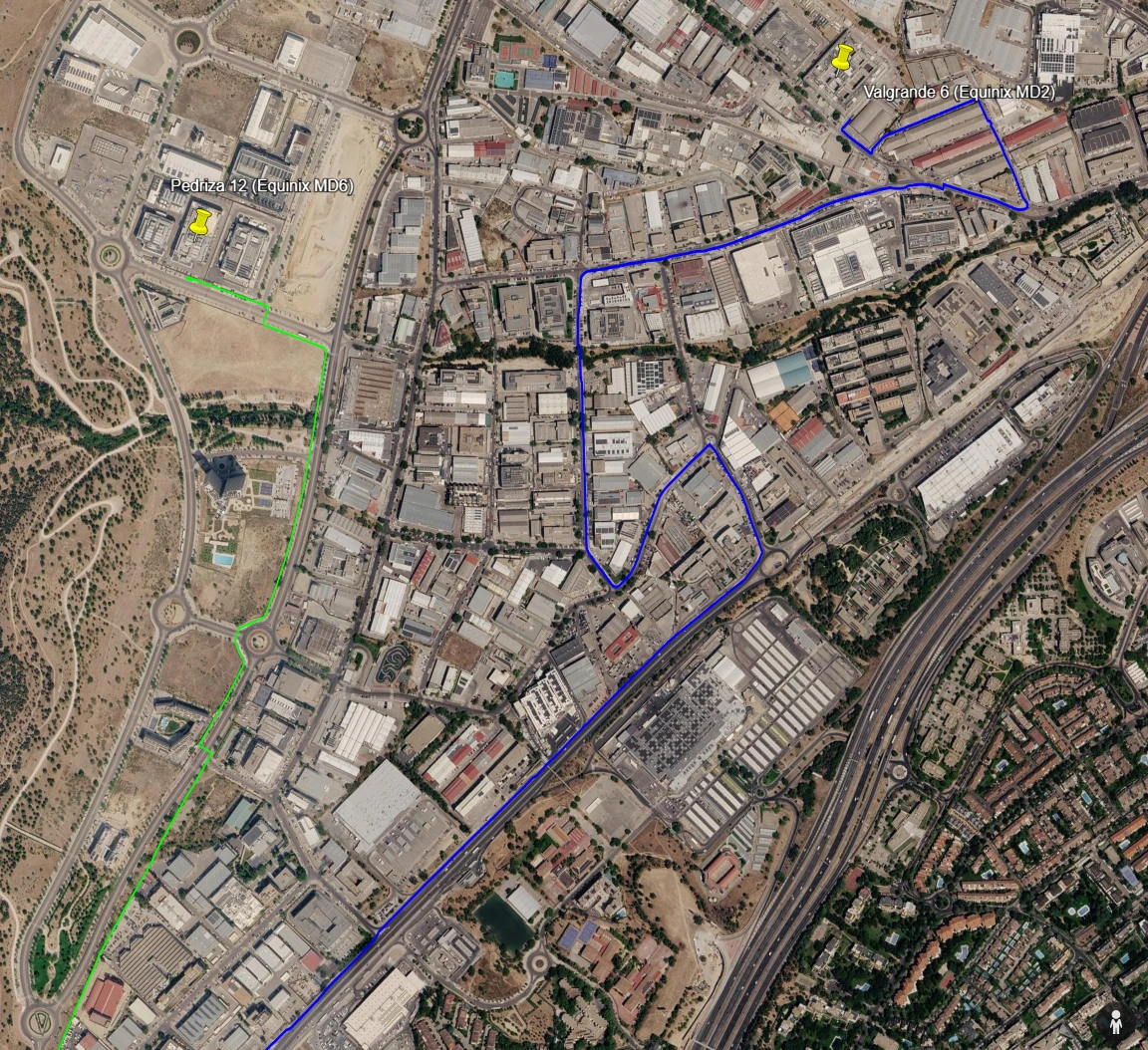
A KMZ file is a compressed Google Earth map that shows the exact route of a fiber. Dark fiber and wavelength providers can usually share KMZ files for the routes they propose. They are the most practical way to check whether two “diverse” circuits really are diverse.
When you receive them, overlay both routes and check:
-
Shared ducts, trenches, bridges or tunnels, where a single event can cut both paths.
-
Building entry points: two routes entering through the same duct or the same Meet-Me Room are not diverse.
-
Minimum separation between routes along the way.
-
Route length: it gives you a realistic latency estimate (about 5 µs per km one way).
Diversity that is not documented is only an assumption. With Ethernet services you rarely get KMZ files, which is one more reason the provider’s SLA, rather than the route, becomes your main guarantee.
8. Connecting With Equinix: Mapping Technologies to Our Portfolio
The connectivity technologies discussed throughout this article also underpin Equinix’s interconnection portfolio. Whether customers need dedicated physical connectivity, managed optical capacity, or flexible virtual connections, Equinix offers solutions built around these same principles.
The table below shows how these technologies map to Equinix products, helping customers identify the approach that best fits their connectivity requirements.
| Market technology | Equinix product | Comments |
|---|---|---|
| Dark Fiber | Cross Connect, Campus Cross Connect, Fiber Connect | Passive, dedicated fiber: inside one IBX, across a campus, or between IBXs in the same metro (Fiber Connect). The customer brings the optics and keeps full control and protocol transparency. Fiber Connect is also available as a diverse pair for higher availability. |
| Wavelength | Optical Metro Connect (OMC) | Managed Layer 1 wavelength between IBXs in the same metro, optimized for 100G. Equinix runs the optical layer; the customer just plugs in. Protected and diverse options are available for higher availability. |
| Carrier Ethernet | Equinix Fabric, Fabric Metro Connect (FMC) | Software-defined Layer 2 virtual connections (EVPL-like) from one port to many destinations: clouds, partners and other metros, provisioned on demand with flexible bandwidth. Fabric Metro Connect delivers point-to-point Layer 2 links between IBXs in the same metro, running on the Equinix Fabric infrastructure. |
| Carrier Ethernet | Equinix Fabric Last Mile (LMaaS), Fabric One | Fabric Last Mile: Extends access to Equinix Fabric through supported network service providers, including for customers with an existing presence in an Equinix IBX data center. Fabric One: Intent-driven networking service that orchestrates underlying Equinix connectivity services to deliver managed, resilient connectivity based on customer requirements. |
| Orchestration Across Connectivity Technologies | Fabric One | Intent-driven networking service that orchestrates underlying Equinix connectivity services to deliver managed, resilient connectivity based on customer requirements |
Key takeaways
-
Dark fiber buys you control and capacity; you pay with money, time and operational effort.
-
Wavelength gives you dedicated, transparent, low-latency capacity without running the optical layer.
-
Ethernet gives you flexibility and simplicity; you trade some control over path and latency.
-
Always ask how resiliency is achieved, and ask for proof (KMZ files) when diversity matters.