Posting an idea is just like posting a message on a board. You’ll simply create a new topic and change it to an Idea.
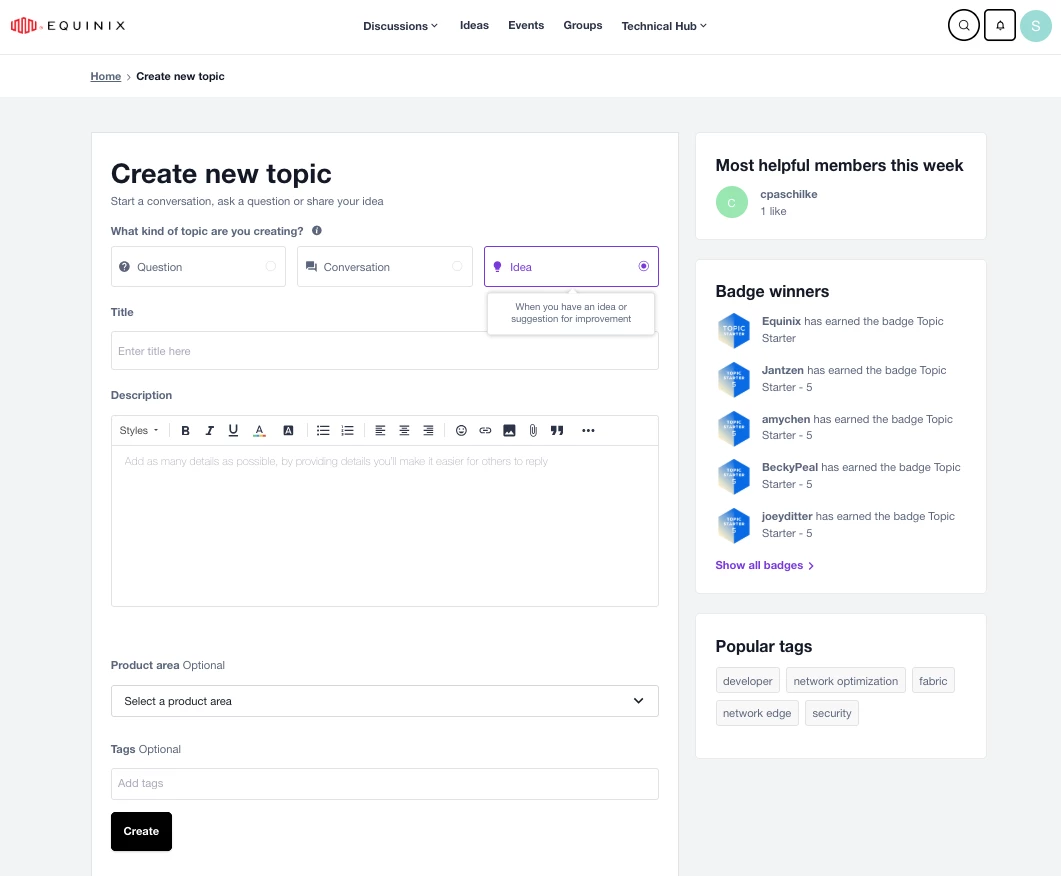
To post your idea:
- Select Ideas from top navigation.
Tip: It's a good idea to search the idea first to make sure that someone else hasn't already posted the same idea. - Click Create Topic in the top right of page. It will open up the Create new topic section (see above image), where you can change it to Idea.
- Type an Idea Title and the description of your feedback. You can use simple HTML, format the text, or add links or images.
- To receive email when someone comments on your idea, click E-mail me when someone replies.
- (Optional) Add a product area if it pertains to one.
- (Optional) Add one or more tags.
- Click Create.
- Congrats! Once your idea has been submitted, you’ll be able to track the progress and stay informed as we share updates.