Shannon
Community Manager
March 15, 2022
Solved

How do I change the image (avatar) next to my name?

Changing your avatar is an easy way to personalize your community identity. You can change your avatar as often as you like. Your current avatar appears at the top of the Avatar page. Find out below how to update your avatar/profile image. 
Shannon
ShannonAnswer
Community Manager
March 15, 2022

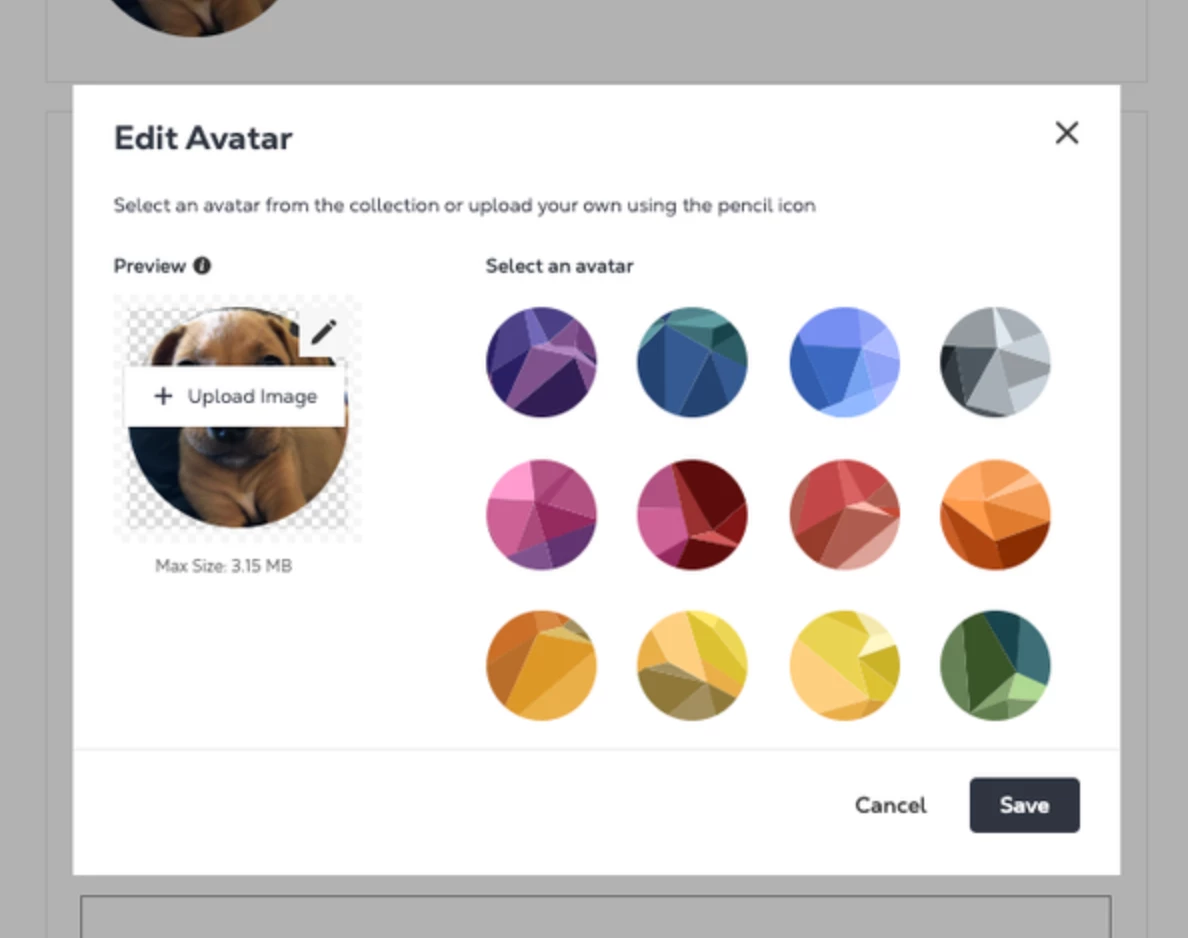
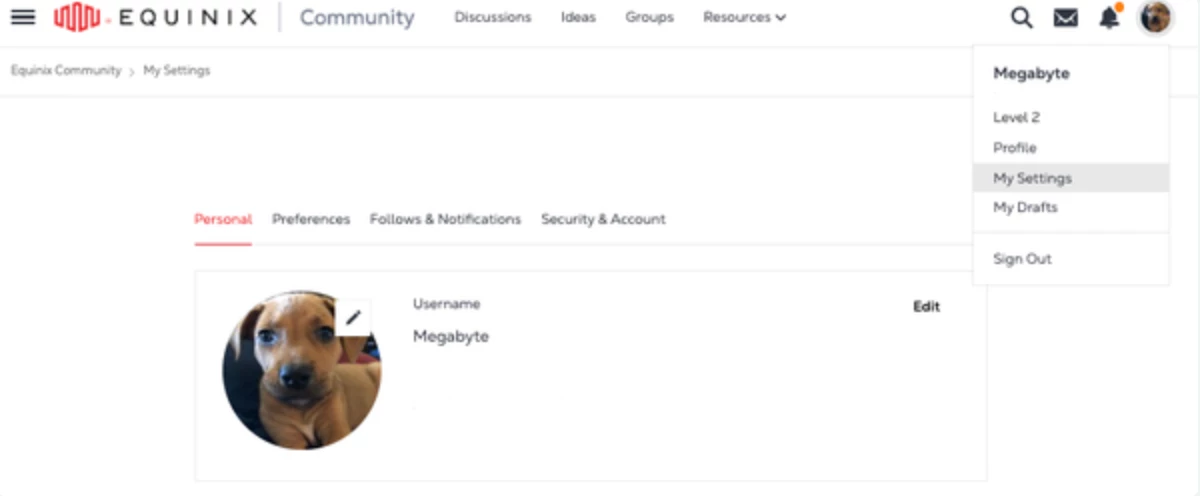
Here's the steps to change your avatar/profile image: 

  1. Sign in to your community account.
  2. Select profile image in top right and go to My Settings
     
  3. On the profile image, select the edit button in the top right.
  4. Choose a new avatar in one of these ways:
    • Upload Image (select edit button again)
    • Choose an avatar from the Community collection
    • Hit Save


1 reply

Shannon
ShannonAuthorAnswer
Community Manager
March 15, 2022

Here's the steps to change your avatar/profile image: 

  1. Sign in to your community account.
  2. Select profile image in top right and go to My Settings
     
  3. On the profile image, select the edit button in the top right.
  4. Choose a new avatar in one of these ways:
    • Upload Image (select edit button again)
    • Choose an avatar from the Community collection
    • Hit Save